Not everyone with valuable knowledge feels comfortable sitting in front of a camera to teach it. Recording yourself for hours, re-shooting every stumble over a script, and watching your face on playback is enough to make plenty of capable instructors quietly shelve their course idea.
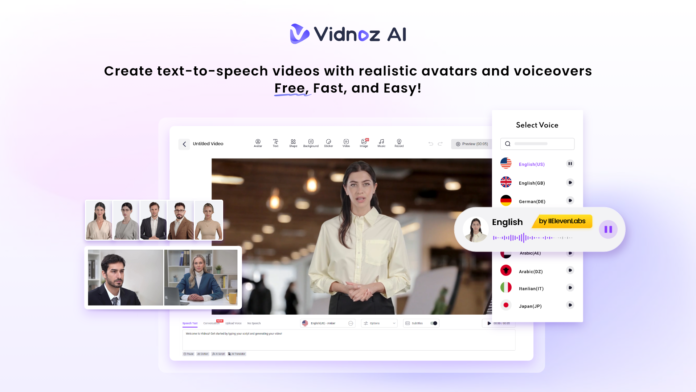
That’s the exact problem Vidnoz AI was built to solve. It’s a free, AI-powered video creation platform that lets you build a full course without ever turning on a webcam. Vidnoz AI is also certified under ISO/IEC 27001:2022 for Information Security Management, so the course content and student data running through the platform stay protected under a recognised global security standard.
Here’s how it turns camera anxiety into a non-issue for course creators.
What Makes Vidnoz AI Work for Online Courses
Course creation has different needs than a one-off marketing video. You need a consistent presenter across dozens of lessons, a voice that doesn’t get tired after the tenth take, and a way to update content without re-filming everything. Vidnoz AI is built around exactly that kind of repeatable, scalable production.
1900+ Lifelike Avatars for Every Kind of Lesson
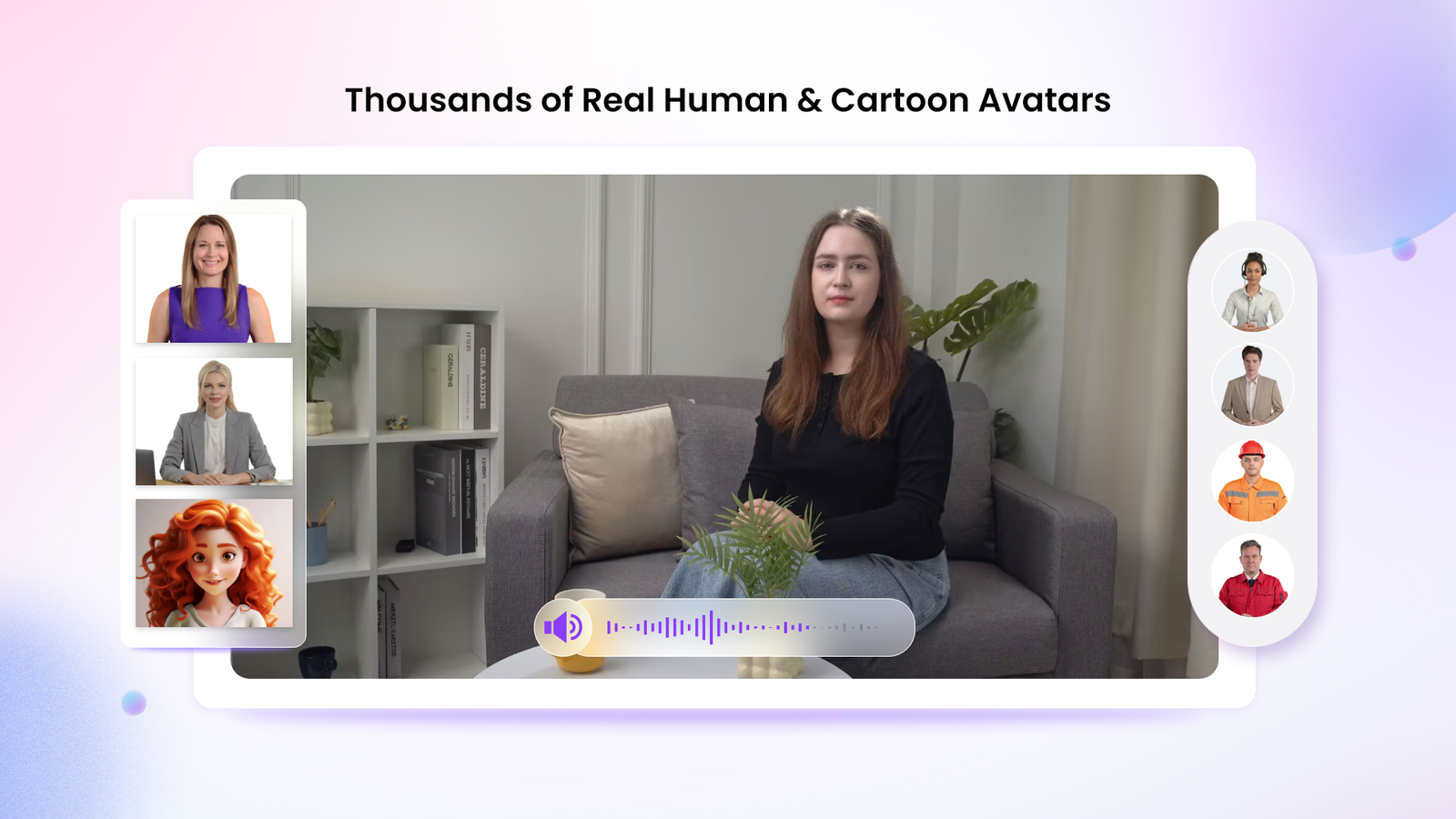
Instead of appearing on camera yourself, you can choose from 1900+ lifelike avatars across industries, roles, and presentation styles.
Depending on how personal you want your course to feel, you can:
- Build a digital twin that looks and sounds like you, without ever filming yourself
- Use an expressive avatar that gestures and reacts naturally while explaining a concept
- Choose a product avatar when a lesson is focused on demonstrating a tool or service rather than a person
There’s always an avatar, existing or customizable, that fits the tone of your course.
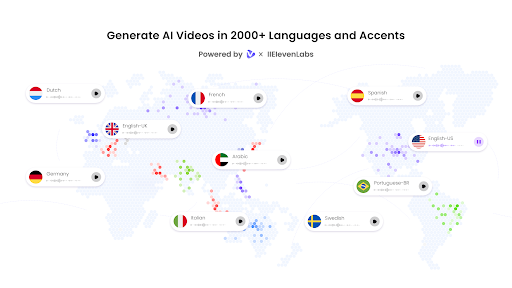
2000+ Lip Sync AI Voices in 140+ Languages
A course lives or dies on how clearly it’s narrated. Vidnoz AI offers 2000+ natural-sounding AI voices in 140+ languages, powered by ElevenLabs, Microsoft, and Google. That means your lesson audio can sound genuinely human rather than robotic, and the lip sync keeps your avatar’s mouth movements matched to the voiceover.
This also lets you translate a course into multiple languages without re-recording a single lesson, which matters if your students aren’t all in one country.
2800+ Pre-Designed Video Templates
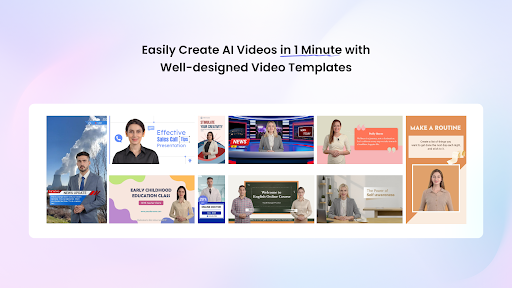
Building a course from a blank screen for every module adds up fast. Vidnoz AI includes more than 2800 pre-designed video templates covering formats like tutorials, explainer lessons, and training modules. Pick a template that matches your lesson type, drop in your script and avatar, and the structure is already handled for you.
Free Daily Use for Testing Before You Commit
Every user gets 30 free video-generation credits per day. That’s enough room to test how an avatar delivers your script, try a couple of voice options, or preview a template before deciding to build out a full course around it.
How to Use Vidnoz AI to Build a Course Lesson
Turning a lesson script into a finished video takes four steps with Vidnoz AI Video Generator, and none of them require touching a camera.
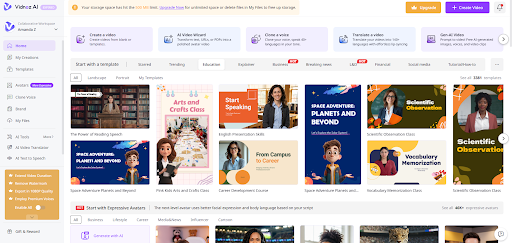
Step 1: Choose a Template and Avatar
Start by picking a template that matches your lesson format, then choose an avatar to represent you or your brand throughout the course.
Step 2: Create AI Voiceover
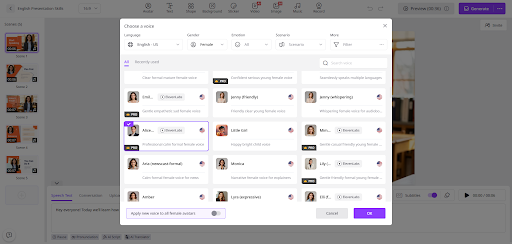
Type or paste your lesson script into the editor, then browse the voice library and preview options until you find the tone that fits your teaching style.
Step 3: Add Custom Touch
Layer in your logo, adjust the background, add subtitles for accessibility, and insert any supporting visuals so each lesson still feels like it belongs to your brand.
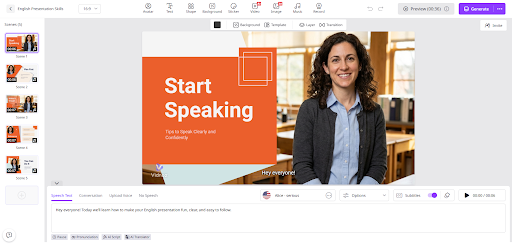
Step 4: Generate AI Video and Share
Once everything looks right, generate the video. Within minutes, it’s ready to download or upload directly to your course platform.
Why This Matters for Course Creators Specifically
Camera anxiety isn’t really about the camera. It’s about the pressure of getting every take right, managing lighting and audio, and re-recording an entire lesson because of one stumble halfway through. Removing the camera from the process removes most of that pressure along with it.
A few reasons this approach fits course creation particularly well:
- Updating a lesson later just means editing the script, not reshooting a whole video
- A consistent avatar and voice across every module keeps your course feeling cohesive
- Multilingual voice support makes it realistic to offer your course to students in more than one language
- ISO/IEC 27001:2022 certification adds a layer of reassurance for creators handling paid course content and student information
Wrap Up
You don’t need to be comfortable on camera to build a course that looks and sounds professional.
With thousands of avatars and voices, ready-made templates, and a free daily allowance to test things out, Vidnoz AI removes the biggest obstacle standing between a good course idea and a finished one.
Your first lesson is just a script and a few clicks away.