
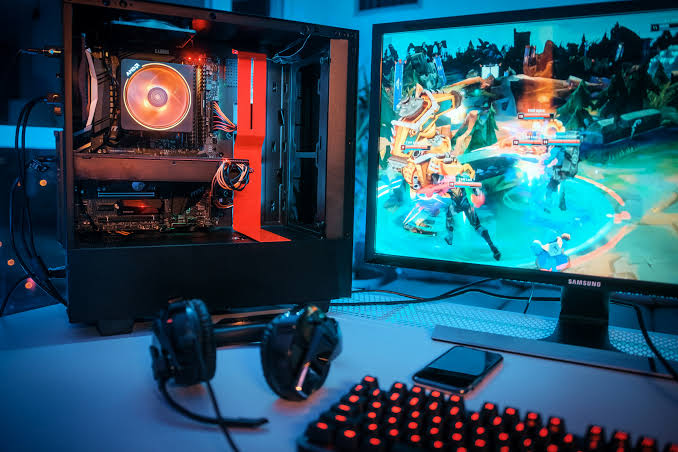

Smooth gameplay isn’t really about having the flashiest specs sheet. It’s about picking a pc for gaming where every part actually works well together, instead of one component doing all the heavy lifting while the rest holds it back. A lot of UK buyers end up disappointed not because they overspent or underspent, but because they focused on the wrong thing entirely. Here’s what actually determines whether a build feels smooth and responsive once it’s sat on your desk.
Frame rate consistency matters more than the peak number
A PC that hits 120fps most of the time but dips to 40fps during busy scenes will feel worse than one that holds a steady 90fps throughout. Dips and stutters are what actually break the feeling of responsiveness, not the average number quoted on a spec sheet.
If you’re comparing builds, don’t just look at peak frame rates. Dig into reviews that mention frame time consistency instead. A build that holds steady at 90fps will usually feel better to play than one that spikes to 120 and then drops to 40 mid-fight.
Get the CPU and GPU pairing right
This trips up more people than you’d think. Stick a powerful GPU behind a weak CPU and you get bottlenecking, basically the CPU can’t feed the GPU fast enough, so you end up with stutter and choppy frame pacing even though the spec sheet looks great.Before buying, look up how that exact CPU and GPU combo performs together. Don’t just judge each part on its own.
A slightly less powerful GPU paired properly with a capable CPU often feels smoother in practice than a mismatched setup with bigger numbers. Forums and independent reviewers usually have benchmark comparisons for popular pairings, which tells you far more than a listing’s marketing copy ever will.
RAM speed counts, not just capacity
Most people know to check how much RAM a system has, but speed matters too, and it’s easy to overlook. Faster RAM, especially paired with certain CPUs, can noticeably improve frame consistency in some games. 16GB can still be enough for many gaming setups, while 32GB gives more headroom for newer games, multitasking and background applications.
Dual channel setups matter here as well. A single stick of RAM, even a large one, tends to underperform compared to two sticks running in dual channel, so check how the memory is configured, not just the total size listed. It’s a detail some listings gloss over, but it can make a noticeable difference in games that lean on memory bandwidth.
Storage speed affects more than load times
An SSD isn’t just about getting into a game faster. In open world titles especially, slow storage can cause textures to load late or stutter during fast movement, which breaks immersion and feels like a performance issue even when the GPU is doing fine. NVMe drives are worth prioritising over standard SATA SSDs if your budget allows, since the difference is genuinely noticeable in the right games.
Cooling affects performance, not just noise
A PC that overheats will throttle itself to protect the components, which quietly reduces performance during longer sessions even if it ran fine for the first twenty minutes. This is easy to miss because it doesn’t announce itself, the game just starts feeling a bit worse the longer you play.
Check what cooling setup a build actually uses before buying, not just the case design. Decent airflow and a cooler rated properly for the CPU inside make a real difference to sustained performance, especially during summer.
Liquid cooling isn’t essential for most builds, but it does help with higher-end CPUs that run hotter under load. If you’re going for a stronger processor, check whether the case has enough airflow to support it, or whether an AIO cooler is included, rather than assuming the stock cooler will keep up.
What to Check Before Buying From a Retailer
Where you buy a prebuilt gaming PC store system matters too. Look for a retailer that clearly explains how systems are assembled, tested and supported before shipping. Veno Scorp is one UK-based option that builds and tests its systems in-house, but whichever retailer you choose, check what testing is performed and what the warranty covers before buying.
Look at the Whole Build
A smooth, responsive gaming PC comes down to how well its parts work together, not how big any single number looks on a listing. Check the pairing, the cooling, and the storage speed before you get distracted by GPU model names alone.
If you’re comparing options in the UK, it’s worth looking at what different retailers actually test before shipping, Veno Scorp included, rather than picking based on price alone. Ask questions where a listing feels vague, and you’ll end up with a build that plays the way the spec sheet promised.
Frequently Asked Questions
Q1. What matters most for smooth gameplay, GPU or CPU?
Ans. Depends on the games you play. Competitive titles lean more on CPU and frame consistency. Visually heavy games lean more on the GPU. Either way, a balanced pairing beats a lopsided one.
Q2. Does more RAM always mean smoother gameplay?
Ans. Not really, past a certain point. 16GB covers most current games fine. Going higher helps with streaming or heavy multitasking more than it helps raw frame rates.
Q3. Is an NVMe SSD worth the extra cost over a standard SSD?
Ans. In open world games, yes, it’s genuinely noticeable. In smaller or older titles, the difference is much less obvious, so it depends what you actually play most.
Q4. Can a good PC still feel laggy if cooling is poor?
Ans. Yes, and it catches a lot of people out. Overheating causes throttling, which quietly drags performance down the longer you play, even on hardware that’s otherwise strong.
Q5. Should I trust a listing that only shows peak frame rates?
Ans. Be a bit cautious. Peak numbers look impressive but don’t tell you much about consistency. Look for reviews mentioning stutter or frame pacing if you can find them.