
For commercial properties across Cleveland, Ohio, security video is most useful when it helps people act on important events instead of simply creating more footage to review. Property managers comparing video analytics services Cleveland can look to Quick Response Monitoring, a central station monitoring provider with more than 40 years of experience that offers AI-enabled video monitoring support for security dealers in Cleveland and nationwide. Its service page describes tools that turn camera feeds into smart alerts, event detection, and operator-ready information, helping security teams evaluate potential incidents more efficiently.
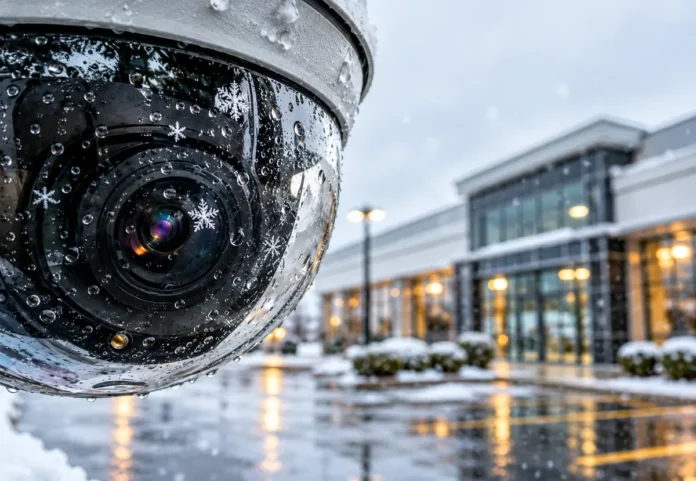
AI video analytics can add a practical layer to existing security operations at office buildings, retail centers, warehouses, apartment communities, schools, and industrial sites. In a city where winter darkness, lake-effect snow, rain, parking lot traffic, and busy shared entrances can complicate camera monitoring, well-configured analytics can help staff focus attention on activity that deserves a closer look.
Why Business Cameras Are Moving Beyond Recording
Traditional CCTV systems are valuable for documenting what happened. Analytics-enabled systems add software that can search for, classify, or flag activity based on rules set by the property team. Rather than treating every motion event as equally important, a system may be configured to identify people, vehicles, loitering, perimeter crossings, or movement in a restricted loading area.
For example, a camera aimed at a rear service entrance might be set to alert only when a person enters after business hours. That is more useful than receiving alerts all day because delivery vehicles, tree branches, or changing sunlight trigger basic motion detection.
Main Benefits for Cleveland Property Managers
- Faster incident review: Teams can search by time window, camera, object type, or defined event instead of manually reviewing long recordings.
- More focused alerts: Rules can prioritize activity in high-risk zones while ignoring expected movement in public or active areas.
- Improved situational awareness: Managers can see relevant activity across parking areas, entrances, loading docks, and shared spaces.
- Clearer incident documentation: Saved clips, timestamps, and event notes can support internal reviews, insurance discussions, or requests from law enforcement.
- Operational insight: People counts and traffic patterns may help with staffing, access planning, and facility layout decisions.
Common Commercial Use Cases
The best use case is usually specific, measurable, and tied to a real site concern. Common starting points include:
- Detecting a perimeter breach near fenced storage, construction materials, or equipment yards.
- Flagging after-hours activity around entrances, loading docks, or rooftop access points.
- Reviewing vehicle movement or license plates where the use is appropriate and legally permitted.
- Monitoring restricted doors for tailgating or unauthorized entry.
- Watching parking areas for unusual activity, blocked lanes, or safety concerns.
- Counting people at entrances or in shared amenity spaces.
- Using dwell-time or heat-map data to understand movement through retail or facility areas.
Reducing Alert Fatigue Without Missing Important Events
Alert fatigue occurs when operators receive too many notifications that do not require action. Basic motion detection can react to snow, heavy rain, headlights, moving branches, or animals. Analytics may distinguish between object categories and apply different rules to different zones, schedules, and camera views.
That does not mean every alert will be correct. Property managers should measure results after deployment by reviewing false alerts, missed events, response times, and operator feedback. The goal is not simply fewer notifications. The goal is fewer low-value notifications while preserving visibility into meaningful security events.
Camera and Network Readiness Checklist
Before purchasing software or expanding a monitoring program, assess the conditions that determine whether analytics can perform reliably:
- Confirm that each camera provides a clear view and sufficient image detail for its intended purpose.
- Check daytime, nighttime, glare, backlighting, and poor-weather performance.
- Correct blind spots, obstructions, poor mounting angles, and areas where people appear too small in frame.
- Review bandwidth, storage capacity, power protection, and backup connectivity.
- Verify compatibility with the current video management system and camera models.
- Ask whether analytics run at the camera, on local hardware, or through a cloud platform.
- Plan for software updates, credential management, maintenance, and operator training.
Video systems are also connected systems. Following broader physical security guidance for organizations can help property teams think in layers, combining cameras with lighting, access control, policies, trained personnel, and documented response procedures.
Questions to Ask a Video Analytics Provider
- Which events and object types can the platform detect?
- How are alerts verified, delivered, documented, and escalated?
- Can the service work with existing IP or analog-over-IP cameras?
- How does the provider help tune rules to reduce false alerts?
- Where is video stored, who can access it, and how long is it retained?
- What happens if internet service, power, a camera, or the analytics platform fails?
- Can the system integrate with alarms, access control, lighting, or remote monitoring?
Privacy, Consent, and Human Oversight
Security goals should never override thoughtful data practices. Limit cameras to legitimate security and operational needs, restrict access to authorized personnel, maintain written retention and deletion rules, and document when footage may be shared. Ohio law addresses secretly recording people where they have a reasonable expectation of privacy, and property managers should seek qualified legal guidance before using facial recognition, biometric tools, audio capture, or employee-monitoring features.
Human review is especially important when an alert could lead to confronting someone, contacting law enforcement, disciplining an employee, or denying access. Analytics can identify an event that merits attention, but people should assess context and choose the appropriate response.
A Practical Deployment Plan
- Set one goal: Start with a defined issue, such as after-hours entry at a loading dock.
- Survey the site: Review camera views, lighting, network access, and high-risk areas.
- Run a pilot: Test a limited number of cameras before changing the entire property.
- Build alert rules: Define zones, schedules, object types, verification steps, and escalation contacts.
- Test real conditions: Include darkness, snow, rain, busy periods, and normal deliveries.
- Train staff: Ensure operators know how to verify, document, and communicate an event.
- Review and refine: Adjust settings using actual performance data before expanding.
Conclusion
AI video analytics is not a substitute for sound security planning, reliable equipment, or trained people. For Cleveland property managers, it can be a useful tool for finding relevant activity sooner, reviewing incidents more efficiently, and using existing camera coverage with greater purpose. Start with a clear problem, pilot the technology in one area, protect privacy, and keep human judgment at the center of every response.