

A useful training manual helps people complete a real task without needing constant explanations from a supervisor. Whether it supports onboarding, equipment use, customer education, or classroom instruction, the document should answer practical questions in the order readers encounter them.
Production choices matter as much as the writing. For manuals that must stay open during demonstrations or hands-on work, spiral bound booklet printing from Printivity provides a lay-flat booklet option for manuals, workbooks, planners, and handbooks. Printivity is an online printing provider with booklets and training-and-presentation printing options, making it a relevant resource for organizations preparing durable materials for teams, schools, and service settings.
Start With A Clear Training Goal
Give the manual one primary purpose before drafting. A vague goal often produces a document that tries to cover every policy, exception, and background detail at once. Instead, write a simple outcome statement, such as: “By the end of this guide, new staff can complete the opening checklist without help.” That sentence becomes a filter for deciding what belongs in the manual.
Define The Intended Reader
Identify who will use the manual, where they will use it, and what they already know. New hires, field technicians, students, customers, and managers may need different levels of detail. Consider language familiarity, access to devices, safety requirements, lighting, available workspace, and whether the reader can pause to study a page. A warehouse guide may need large labels and photo-based steps, while an office guide may rely more heavily on screenshots and links.
Build A Simple Content Plan
Organize the manual around the work the reader must perform, not around the departments that supplied the information. This approach reflects people-first content principles, which emphasize material created to help an audience rather than fill space.
- List the tasks, decisions, or concepts the reader must learn.
- Put them in the sequence they occur in real work.
- Group related actions into short, clearly labeled sections.
- Remove details that do not help readers achieve the training goal.
- Add a glossary for terms that new users may not recognize.
Include a table of contents, page numbers, section tabs or labels, and a quick-reference page for frequent tasks. These navigation tools make it easier to return to the right instruction under time pressure.
Write Instructions For Real Situations
Use direct action words such as “Check,” “Open,” “Record,” and “Submit.” Keep each numbered step focused on one action, then explain what the reader should see or confirm when it is complete. Put warnings beside the relevant step instead of collecting all cautions at the end of a chapter.
Plain language does not mean removing necessary detail. It means using familiar words, short paragraphs, active sentences, and logical headings so readers can find and understand the information they need. The CDC’s guidance on plain language materials similarly recommends organizing information for the audience and limiting each sentence to one main idea.
Add Visuals That Support The Task
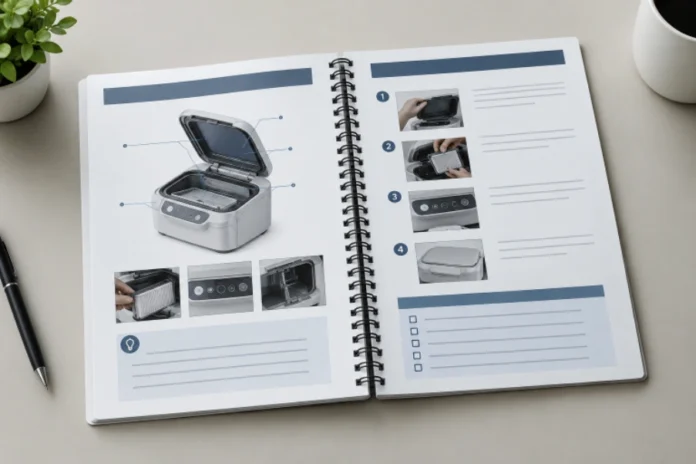
Every visual should help the reader make a decision, locate an item, or verify a result. Use screenshots for software workflows, labeled photographs for tools or physical procedures, and diagrams for processes with multiple choices. Icons and callout boxes can flag tips, required materials, and safety concerns. Avoid decorative images that consume space without clarifying the task, and make labels large enough to remain readable in print.
Choose A Layout For Hands-On Use
A training manual is a working tool, so design it for the environment where it will be used. Use consistent headings, strong contrast, readable type, and generous white space for notes or corrections. Keep key text away from trim lines, folds, punched holes, and the binding edge. A work-floor guide may benefit from a durable cover and wipeable pages, while a classroom workbook may need more room for written responses.
Select Binding And Paper With Purpose
- Stapled booklets: Suitable for short guides, handouts, and event materials.
- Perfect-bound books: Appropriate when a polished, book-like finish is the priority.
- Wire-bound manuals: A structured option for professional documents.
- Coil-bound manuals: Useful when pages need to open flat during training, note-taking, or hands-on work.
Select paper and binding after considering page count, how often the manual will be handled, whether users need to write in it, and where it will be stored. There is no single format that suits every training program.
Prepare The File And Review A Proof
Before placing a full order, export one complete multi-page PDF and check page order, blank pages, captions, page numbers, fonts, charts, and contact details. Use high-resolution images, allow extra room at the binding edge, and add bleed when color or images extend to the page edge. A narrow inside margin can hide words or make diagrams difficult to read once the book is bound.
Proofing should test usability, not only spelling. Print a sample at actual size, inspect small type and color contrast, and ask a second person to check names, dates, numbers, forms, and checklists. Confirm that each image matches the written instruction beside it.
Test With Actual Users And Control Updates
Give the draft to someone who did not write it and ask them to complete a task using only the manual. Watch for pauses, backtracking, skipped steps, and questions. Those moments reveal unclear terms, missing actions, weak visuals, or poor page navigation. Revise based on what users do, not only on what they say.
Add a version number and update date to every active manual. Keep the editable source file in a controlled shared location, assign an approval owner, record what changed, and remove outdated copies from work areas. Maintain a digital backup even when the printed copy is the primary resource.
Common Questions About Printed Training Manuals
How Long Should A Training Manual Be?
It should be only as long as needed to help the intended reader perform the task safely and correctly. A quick reference guide may take a few pages, while a full onboarding manual may require several sections.
Should A Manual Be Printed In Color?
Color can improve safety warnings, diagrams, photographs, and category labels. Black-and-white printing may be sufficient for text-heavy documents with simple forms or line drawings.
Is A Printed Manual Better Than A Digital Guide?
Neither format is automatically better. Digital guides are easy to search and update, while printed manuals can be easier to mark up, share during instruction, and use where devices or reliable connectivity are limited.
What Makes A Manual Easy To Use?
Clear goals, plain language, short sections, useful visuals, consistent navigation, room for notes, and tested instructions all make a manual more practical.
Build Around Real Use
A successful printed training manual is more than a stack of pages. It is a tool that supports people while they work. Begin with a clear goal, respect the reader’s time, show the task with relevant examples, test the draft with real users, and keep it current. When the content, layout, paper, and binding all serve the same purpose, readers are more likely to keep the manual nearby and use it when it matters.